Step-by-Step Guide to Using a Virtual Mailbox:
- January 29, 2024
- 0
Managing mail in the modern world has never been easier, thanks to virtual mailbox services. These services allow you to receive, view, and manage your mail and packages
Managing mail in the modern world has never been easier, thanks to virtual mailbox services. These services allow you to receive, view, and manage your mail and packages
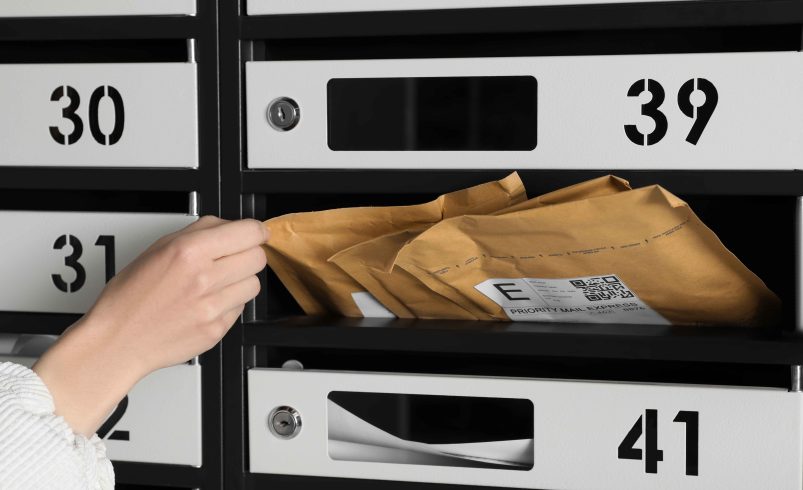
Managing mail in the modern world has never been easier, thanks to virtual mailbox services. These services allow you to receive, view, and manage your mail and packages from anywhere in the world. Whether you are a small business owner, freelancer, frequent traveler, or remote worker, a virtual mailbox can save time, improve organization, and provide a professional mailing address.
If you’re new to virtual mailboxes, this step-by-step guide will walk you through how to get started and make the most of this convenient service.
The first step is selecting a provider that fits your needs. Consider the following factors:
Location and Address Options: Choose a provider offering a professional street address in a credible city or business district.
Features: Look for scanning, mail forwarding, package handling, digital archiving, and secure shredding.
Pricing: Compare plans based on mail volume, forwarding options, and additional fees for scans or packages.
Customer Support: Ensure the provider has reliable support in case issues arise.
Take your time to research options and select a service that aligns with your workflow and budget.
Once you’ve chosen a provider, create an account and select your virtual mailbox address. This is usually a commercial or facility address that you can use for:
Receiving letters, invoices, and statements
Business registration and client correspondence
Package delivery from multiple carriers
You’ll typically need to complete identity verification, as required by U.S. postal regulations, which may include providing identification documents and signing a USPS Form 1583 if the address is in the United States.
After signing up, you can begin using your new virtual mailbox address. Forward mail from existing contacts, subscriptions, or service providers to this address. All incoming mail will be received by the provider, securely stored, and logged for your attention.
Some providers also accept packages from multiple carriers, not just USPS, making it easier to consolidate deliveries in one location.
The core benefit of a virtual mailbox is digital management. Once mail is received, you can:
View Scanned Documents: Providers scan the outside of your mail and sometimes the contents, depending on your plan.
Download or Print Mail: Access letters digitally for personal or business use.
Organize Mail: Categorize items in folders or archive them for future reference.
This step saves time and eliminates the need for frequent trips to a physical mailbox.
With each piece of mail or package, you typically have multiple options:
Open and Scan: Digitize the contents for instant online access.
Forward: Have the physical mail or package sent to your home, office, or another address.
Store: Keep mail or packages at the provider’s facility for later pickup or forwarding.
Shred or Recycle: Securely dispose of unwanted mail to protect privacy.
These options provide complete control over how you handle each item, whether it’s urgent correspondence, sensitive documents, or routine mail.
Most virtual mailbox providers offer real-time notifications when new mail arrives. You can receive alerts via:
Mobile app notifications
Dashboard updates on the provider’s web portal
These alerts ensure you never miss important correspondence, even if you’re traveling or working remotely.
If you need physical copies or packages, virtual mailbox services make forwarding easy. You can:
Consolidate multiple packages to save on shipping costs
Choose standard, expedited, or international shipping options
Track shipments online for peace of mind
Forwarding is especially useful for businesses, e-commerce sellers, and remote workers who need mail at multiple locations.
Virtual mailboxes protect both your physical and digital mail. Make sure to:
Keep login credentials secure
Review access permissions if multiple users manage the mailbox
Opt for secure storage and encrypted digital access
By maintaining these security measures, you can protect sensitive documents such as invoices, legal notices, or personal correspondence.
A virtual mailbox combines the security of a physical mailbox with the convenience of digital access. By following these steps—choosing the right provider, setting up your address, managing mail digitally, and using forwarding or scanning options—you can simplify your mail handling, save time, and maintain a professional image.
Whether you are a business owner, freelancer, remote worker, or traveler, a virtual mailbox is a modern solution for keeping mail organized, secure, and accessible from anywhere in the world.